5 ways to safeguard your Instarem amaze card
This article covers:
Just got your amaz-ing amaze card? Great for you!
Before you start spending with your card, here are some tips to take note of to protect your amaze card!
We’ve also included some steps to take if your amaze card is in a bit of trouble.
Let’s roll with the tips.
Do not share your card details
We get it.
Unless online shopping is your favourite hobby, it’s impossible to remember that many numbers. So, we’ve made it easy for you.
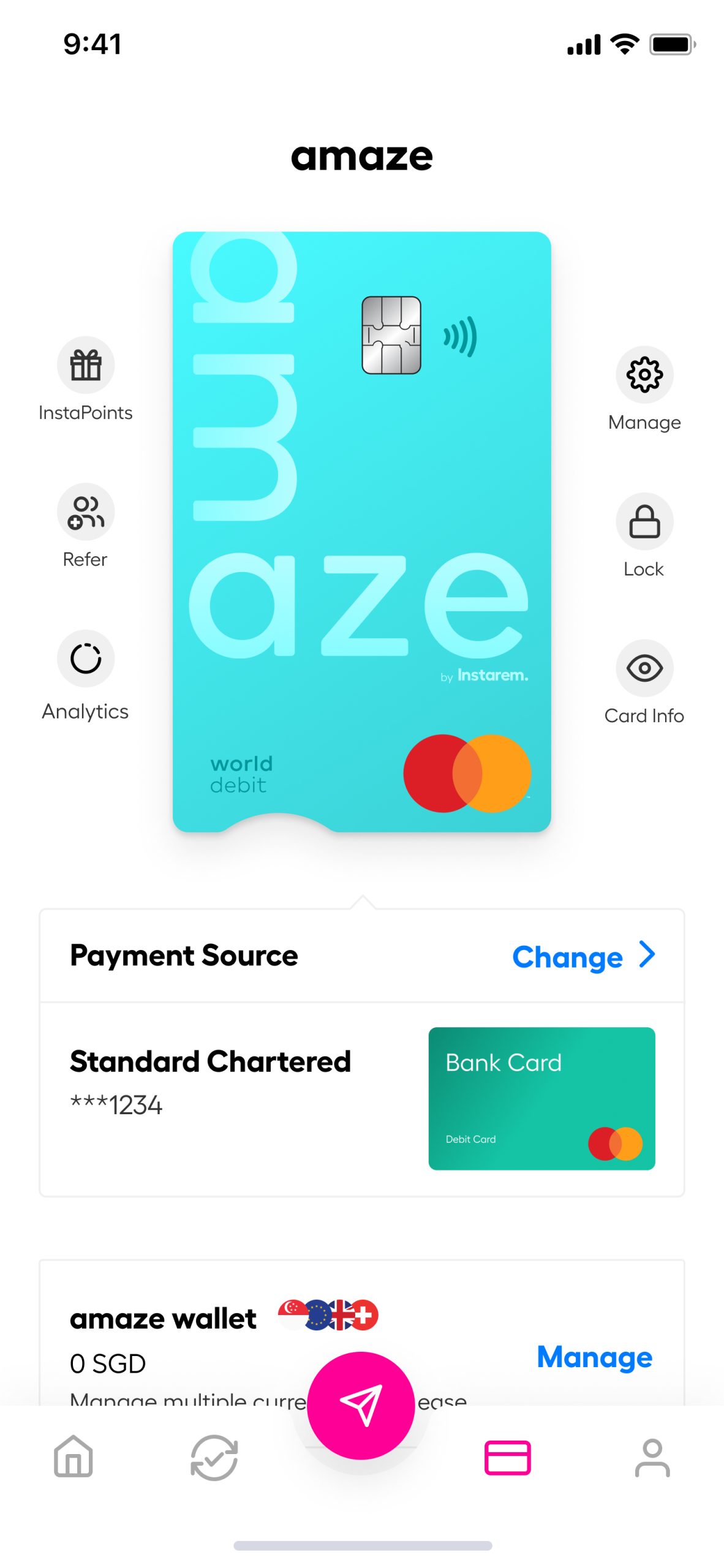
- Click on amaze on the Instarem app
- Click on “card info” on the right side of the screen
- Your card details will appear with the option to copy
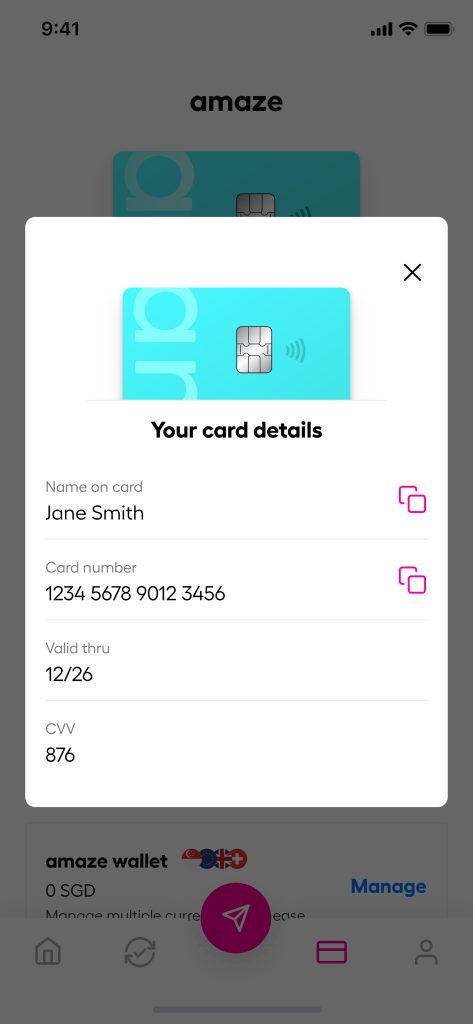
Or, you can pick up the old-school method by whipping out your physical card when you need it. The number is on the back of your amaze card.
Looking to set your pin? Choose “manage” and select “Set PIN”.
PS: Never share your card number, password, code, or PIN with anyone – even with us! We only need your email for troubleshooting.
Update your info and turn on account alerts
The best method to catch potential fraud is through email alerts.
For every transaction that you made through amaze, we’ll send an email to notify you that your POS transaction has been approved.
That would also mean that you will need to keep your email address and phone number updated.
Update your info by following these steps:
- Open your instarem app
- Click on the first button (profile icon) on the bottom right
- Go to “My Info”
- Update your mobile number and email address
And if you suspect somebody is pretending to be us in emails, Go to the Help Centre on the app and send an enquiry or fire up the ‘Ask Adam’ chatbot for instant assistance.
Check your transaction history
Work emails are already a big floodgate. The last thing you would want is to clear more messages in your own personal inbox.
So, here’s an alternate method to check your transaction history via the Instarem app:
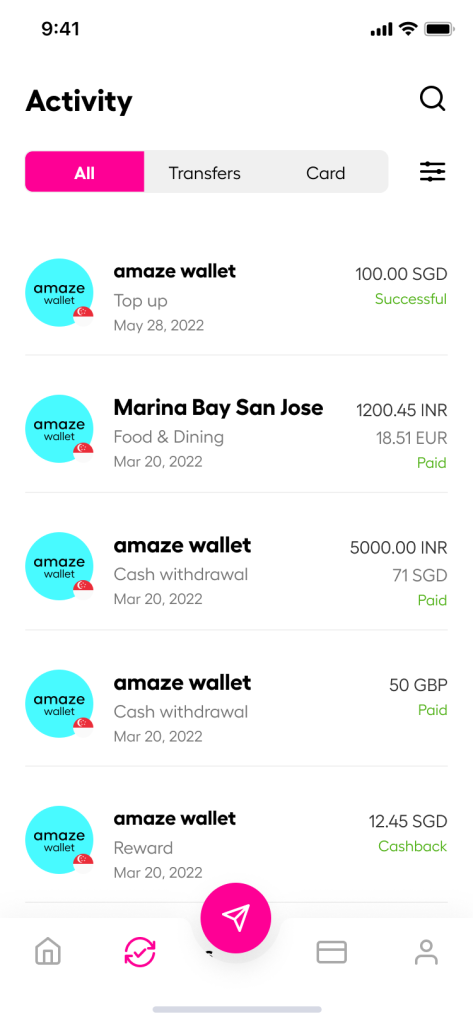
- Go to amaze screen on your app
- Click on the second button (card icon) from the bottom left and click on Card Activity
- You will be able to see the list of transactions you’ve made.
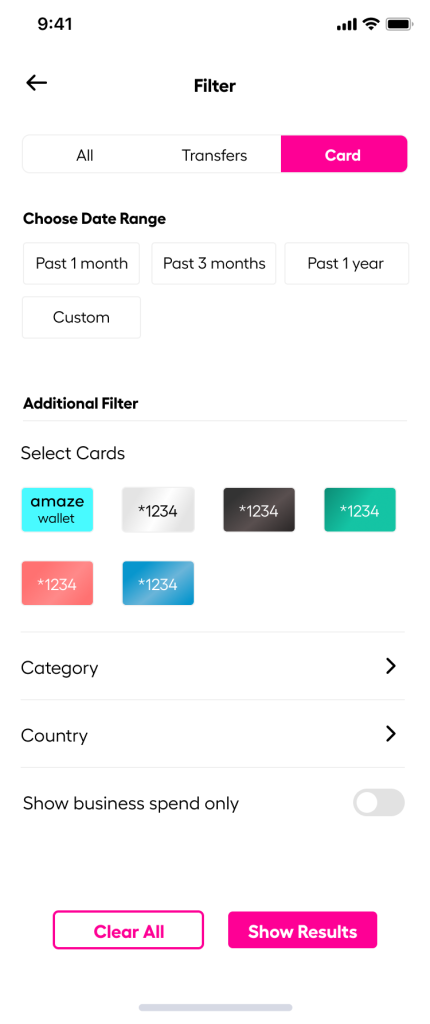
- Click on the filter button on the left to find the list of transactions you’ve made with your amaze card.
Do not pay anyone you do not know or did not approach yourself
Since scammers try to woo your riches out of your bank, it’s also important for you to protect your money.
These people can pretend to be government organizations or even your loved ones.
Ignore anyone who asks for your personal and payment details – those are huge red flags of a potential scam.
If you have any doubts or concerns about your amaze card, make sure to follow the steps below.
Found a suspicious transaction?
Found an unknown transaction through your email alert or in your latest activity? Take these steps:
- Open your app
- Click on the second button (activity icon) on the bottom right.
- Click on the specific transaction
- You will be able to find the transaction number under the transaction summary.
- And click on ‘report a problem’.
- Or go to support in the app to chat with us or email us.
Our customer service officer will then require you to complete a dispute form and email it back within 14 days from the date of the unauthorised transaction
Is your amaze card compromised?
If you suspect your amaze card is in jeopardy, here are the steps you should take:
- Open your instarem app
- Go to the card tab at the bottom
- Select “Manage”
- Click on “Permanent Block Card” and select your reason
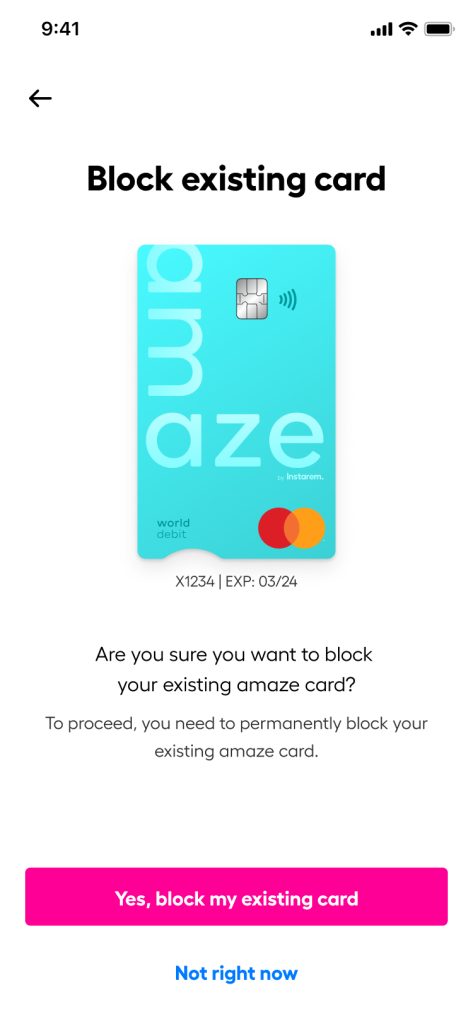
- Click on Replace a card and select your reason
- The app will then request that you confirm your address
Upon confirmation, you will receive your new card number and details almost immediately. Your physical card will also arrive in the next 7 – 14 days.
Lost your amaze card?
Log in to your Instarem app and block your card.
Contact your local police and make a report. Then report the incident to us via Help Centre on the app or the ‘Ask Adam’ chatbot. We’ll follow up with you and send you the replacement card.
And if you’ve lost your phone, you can login via instarem.com to change your password.
Know someone who just got their amaze card? Share this article with them!









![Wise vs Revolut: Which to choose? [2026 Review]](https://qa.instarem.com/wp-content/uploads/2024/03/1572_blog-feature-image-04-768x403.jpg)